


- Application
- Access
- Audit
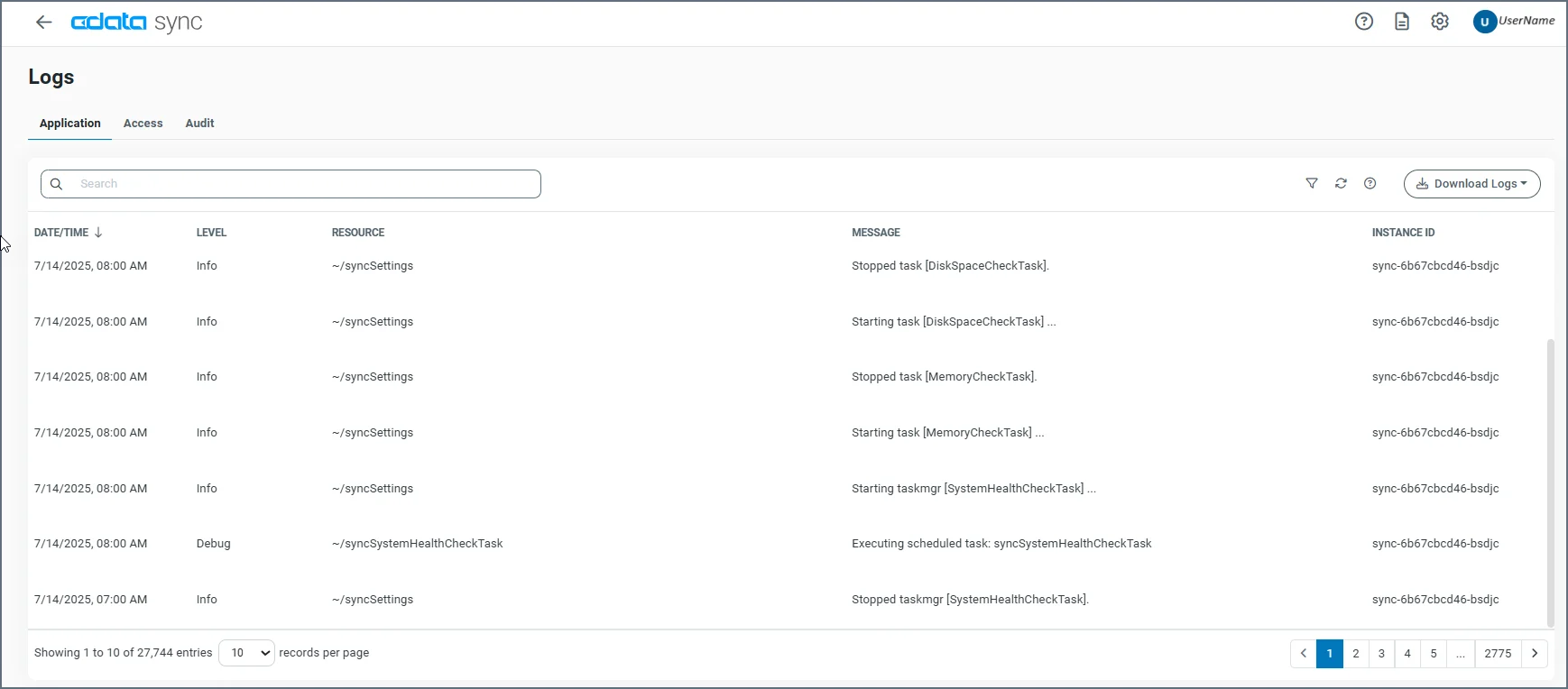
Application Tab
The Application tab records any application-level errors that occur during processing and any requests made to application resources. These error messages can help provide context to errors for specific transactions. The Application tab includes a separate row for each application event, displaying the following details:- DATE/TIME—The timestamp for the event.
-
LEVEL—The log level. (Review the information in the Message column for details.) The application levels that are displayed in the column are as follows:
- None—Events that are not logged.
- Error—Information about errors that are encountered during processing.
- Warning—Information about warnings that are encountered during processing.
- Info—General information about the processing, including any errors and warnings (if applicable).
- Debug—Detailed debugging information for both successful and failed processes.
- Trace—Detailed trace information for both successful and failed processes. This information is useful if you need to send logs to CData Support.
The logging levels Debug and Trace might log sensitive information, including file information and SSL certificates. Although sensitive details such as passwords are masked, you should review these logs for sensitive information before sharing them outside of your organization. - RESOURCE—The resource that produces the message.
- MESSAGE—A message text about the event.
- INSTANCE ID—The instance identifier (Id) of an application event.
Access Tab
The Access tab records entries for requests made to the REST API. This tab displays the following details:- DATE/TIME—The timestamp for the transaction.
- USER—The authenticated user who makes the request. If the user who makes the request is anonymous, this entry is blank.
- METHOD—The HTTP method that is used.
- REMOTE IP—The IP address from where the request originated.
- INSTANCE ID—The Id of the instance that served the request.
Audit Tab
The Audit tab stores each change that is made to the application configuration. This includes all actions like creating connections, configuring jobs, updating application settings, and so on. This tab displays the following details:- DATE/TIME—The timestamp for the configuration change.
- USER—The authenticated user who makes the change.
-
METHOD—The HTTP method that is used for the change.
- GET
- POST
- PUT
- MERGE
- PATCH
- MESSAGE—A message text that describes the change that is made.
- INSTANCE ID—The instance Id for the action.